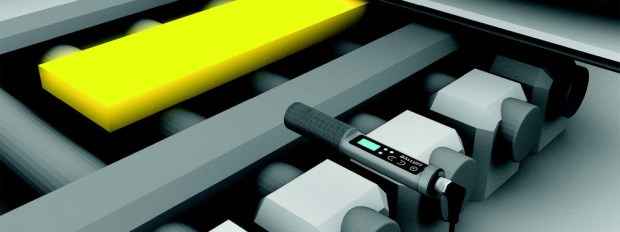
Is IO-Link only for Simplifying Sensor Integration?

Guest contributor: Shishir Rege, Balluff

On several occasions, I was asked what other applications IO-Link is suitable for? Is it only for sensor integration? Well the answer is no! There are several uses for IO-Link and we are just beginning to scratch the surface for what IO-Link can do. In this blog post I will cover at least 7 common uses for IO-Link including sensor integration.
IO-Link in essence provides tremendous flexibility. Each available IO-Link port offers the possibility to connect devices from hundreds of manufacturers to build a resilient distributed modular controls architecture — that is essentially independent of the fieldbus or network. IO-Link is the first standardized sensor/actuator communication protocol as defined in IEC61131-9.

USE-CASE #1: Simplify sensor integration
Multitudes of IO-Link sensors from 100+ manufacturers can be connected using the simple 3-wire M12 prox cables. No shielded cables are required. Additionally, using IO-Link provides a parameterization feature and anti-tampering abilities- on the same 3 wires. The sensor can be configured remotely through a PLC or the controller and all the configuration settings can be stored for re-application when the sensor is replaced. This way, on your dreaded night shift changing complex sensor is just plug-n-play. Recipe changes on the line are a breeze too. For example, if you have an IO-Link color sensor configured to detect a green color and for the next batch you want to start detecting red color- with IO-Link it is simply a matter of sending a parameter for the color sensor – instead of sending a maintenance person to change the settings on the sensor itself — saving valuable time on the line.
color sensors

USE-CASE #2: Simplify analog sensor connections
In one of my previous blogs, “Simplify your existing analog sensor connection”, I detailed how connecting an analog sensor with single or multi-channel analog-to-IO-Link (A/D) converters can eliminate expensive shielded cables and expensive analog cards in the controller rack and avoids all the hassle that comes with the analog sensors.

USE-CASE #3: Simplify RFID communication
IO-Link makes applications with RFID particularly intriguing because it takes all the complexity of the RFID systems out for simple applications such as access control, error-proofing, number plate tracking and so on. In an open port on IO-Link master device you can add read/write or read only RFID heads and start programming. A couple of things to note here is this IO-Link based RFID is geared for small data communication where the data is about 100-200 bytes. Of-course if you are getting into high volume data applications a dedicated RFID is preferred. The applications mentioned above are not data intensive and IO-Link RFID is a perfect solution for it.

USE-CASE #4: Simplify Valve Integration
valve manifoldTypically valve banks from major manufacturers come with a D-sub connection with 25 pins. These 25 wires are now required to be routed back to the controls cabinet, cut, stripped, labeled, crimped and then terminated. The other expensive option is to use a network node on the valve bank itself, which requires routing expensive network cable and power cable to the valve bank. Not to mention the added cost for the network node on the valve bank. Several manufacturers now offer IO-Link on the valve manifold itself simplifying connection to 4-wires and utilizing inexpensive M12 prox cables. If you still have the old D-sub connector, an IO-Link to 25-pin D-sub connectors may be a better solution to simplify the valve bank installation. This way, you can easily retrofit your valve bank to get the enhanced diagnostics with IO-Link without much cost. Using IO-Link valve connectors not only saves time on integration by avoiding the labor associated with wire routing, but it also offers a cost effective solution compared to a network node on the valve manifold. Now you can get multiple valve manifolds on the single network node (used by the IO-Link master) rather than providing a single node for each valve manifold in use.

USE-CASE #5 Simplify Process Visualization
Who would have thought IO-Link can add intelligence to a stack light or status indicator? Well, we did. Balluff introduced an IO-Link based fully programmable LED tower light system to disrupt the status indicator market. The LED tower light, or SmartLight, uses a 3-wire M12 prox cable and offers different modes of operations such as standard stack light mode with up to 5 segments of various color lights to show the status of the system, or as a run-light mode to display particular information about your process such as system is running but soon needs a mechanical or electrical maintenance and this is done by simply changing colors of a running segment or the background segment. Another mode of operation could be a level mode where you can show the progress of process or show the fork-lift operators that the station is running low on parts. Since the Smartlight uses LEDs to show the information, the colors, and the intensity of the light can be programmed. If that is not enough you can also add a buzzer that offers programmable chopped, beep or continuous sound. The Smartlight takes all of the complexity of the stack light and adds more features and functions to upgrade your plant floor.

USE-CASE #6: Non-contact connection of power and data exchange
Several times on assembly lines, a question is how to provide power to the moving pallets to energize the sensors and I/O required for the operation? When multi-pin connectors are used the biggest problem is that the pins break by constantly connecting or disconnecting. Utilizing an inductive coupling device that can enable transfer of power and IO-Link data across an air-gap simplifies the installation and eliminates the unplanned down-time. With IO-Link inductive couplers, up to 32 bytes of data and power can be transferred. Yes you can activate valves over the inductive couplers!  More on inductive coupling can be found on my other series of blogs “Simple Concepts for Complex Automation”

USE-CASE #7: Build flexible high density I/O architectures.
IO PointsHow many I/O points are you hosting today on a single network drop? The typical answer is 16 I/O points. What happens when you need one additional I/O point or the end-user demands 20% additional I/O points on the machine? Until now, you were adding more network or fieldbus nodes and maintaining them. With I/O hubs powered by IO-link on that same M12 4-wire cable, now each network node can host up to 480 I/O points if you use 16 port IO-Link masters. Typically most of our customers use 8-port IO-Link masters and they have the capacity to build up to 240 configurable I/O on a single network drop. Each port on the I/O hub hosts two channels of I/O points with each channel configurable as input or output, as normally open or normally closed. Additionally, you can get diagnostics down to each port about over-current or short-circuit. And the good thing is, each I/O hub can be about 20m away.

In a nutshell, IO-Link can be used for more than just simplifying sensor integration and can help significantly reduce your costs for building flexible resilient controls architectures. Still don’t believe it? Contact us and we can work through your particular architecture to see if IO-Link offers a viable option for you on your next project.

cropped-cmafh-logo-with-tagline-caps1.pngCMA/Flodyne/Hydradyne is an authorized  Balluff distributor in Illinois, Wisconsin, Iowa and Northern Indiana.

In addition to distribution, we design and fabricate complete engineered systems, including hydraulic power units, electrical control panels, pneumatic panels & aluminum framing. Our advanced components and system solutions are found in a wide variety of industrial applications such as wind energy, solar energy, process control and more.

How do I make my analog sensor less complex?

Guest contributor: Shishir Rege, Balluff

So, you have a (or many) analog sensor in your application or system and they could be 4-20mA signal or 0-10V or even -10- +10V signal strength. You probably know that installing these specialty sensors takes some effort. You need shielded cables for signal transmission, the sensor probably has some digital interface for set-point settings or configuration. In all, there are probably 6-8 at minimum terminations for this single sensor. Furthermore, these expensive cables need to be routed properly to ensure minimal electromagnetic interference (EMI) on the wire. To make matter more complex, when its time to diagnose problem with the sensor, it is always on the back of your mind that may be the cable is catching some interference and giving improper readings or errors.

shieldedCablesOn the other hand, the cost side also is little tricky. You have the state of the art sensor that requires expensive shielded cable and the expensive analog input card (which generally has 4 channels- even if you use single channel), plus some digital I/O to get this single sensor to communicate to your PLC/PAC or controller. You are absolutely right, that is why people are demanding to have this sensor directly on their network so that it eliminates all the expensive cables and cards and talks directly to the controller on express way– so to speak.

Recently, there has been an explosion of industrial communication networks and fieldbuses. To name a few: EtherNet/IP, DeviceNet, PROFINET, PROFIBUS, CC-Link, CC-Link IE, Powerlink, Sercos, and the list goes on. As a machine builder, you want to be open to any network of customer’s choice. So, if that is the case, having network node on the sensor itself would make that sensor more bulky and expensive than before — but not only that, now the manufacturers have to develop sensor connectivity to ALL the networks and maintain separate inventory of each type. As a machine builder, it does put lot more stress on you as well to maintain different Bills of Materials (BOMs) for different projects – most likely – different sourcing channels and so on.

NetworksSo far what we discussed are two extremes; the way of the past with shielded cables and analog cards, and a wishful future where all devices are on the network. There is a middle ground that bridges yesterday’s method and the wishful future without adding any burden on manufacturers of the sensors or even the machine builders. The solution is IO-Link. IO-Link is the first standard (IEC 61131-9) sensor actuator communication technology. There are over 100+ members in the consortium that produce wide variety of sensors that can communicate over IO-Link.

If a sensor has IO-Link communication, denoted by  io-linklogo, then you can connect a standard M12 prox cable — let me stress– UNSHIELDED, to connect the sensor to the IO-Link port on the IO-Link master device. That’s it! No need to terminate connections, or buy expensive hardware. The IO-Link master device typically has 4, 8 or 16 ports to connect various IO-Link devices including I/O hubs, RFID, Valve connectors and more. (see picture below)

DistModIO

All signal communication and configuration now occurs on standard 3 conductor cable that you are currently using for your discrete sensors. The IO-Link master in turn acts as a gateway to the network. So, the IO-Link master sits on the network or fieldbus and collects all the sensors or discrete I/O information from devices and sends it to the controller or the PLC of the customer choice.

When your customer demands a different network or the fieldbus, the only thing that changes in your question is the master that talks to a different protocol.

In my next blog we will discuss how you can eliminate shielded cables and expensive analog cards for your existing analog sensor. Let me give you a hint– again the solution is with IO-Link.

cropped-cmafh-logo-with-tagline-caps1.pngCMA/Flodyne/Hydradyne is an authorized  Balluff distributor in Illinois, Wisconsin, Iowa and Northern Indiana.

In addition to distribution, we design and fabricate complete engineered systems, including hydraulic power units, electrical control panels, pneumatic panels & aluminum framing. Our advanced components and system solutions are found in a wide variety of industrial applications such as wind energy, solar energy, process control and more.

Solving Analog Integration Conundrum

Guest contributor: Shishir Rege, Balluff

These days, there are several options to solve the integration problems with analog sensors such as measurement or temperature sensors. This blog explains the several options for analog integration and the “expected” benefits.

Before we describe the options, let’s get a few things cleared up.  First, most controllers out there today do not understand analog at all: whenever a controller needs to record an analog value, an analog-to-digital converter is required.  On the other end of the equation is the actual sensor measuring the physical property, such as distance, temperature, pressure, inclination, etc.  This sensor, a transducer, converts the physical property into an analog signal.  These days with the advanced technologies and with the cost of microprocessors going down, it is hard to find a pure analog device.  This is because the piezo-electronics inside the sensor measures the true analog signal, but it is converted to a digital signal so that the microprocessor can synthesize it and convert it back to an analog signal.  You can read more about this in a previous blog of mine “How Do I Make My Analog Sensor Less Complex?

Now let’s review the options available:

  1. The classical approach: an analog to digital converter card is installed inside the control cabinet next to the controller or a PLC. This card offers 2, 4, or even 8 channels of conversion from analog to digital so that the controller can process this information. The analog data can be a current measurement such as 0-20mA or 4-20mA, voltage measurement such as 0-10V, +5- -5V etc., or a temperature measurement such as PT100, PT1000, Type J, Type K and so on.  Prior to networks or IO-Link, this was the only option available, so people did not realize the down-side of this implementation.  The three major downsides are as follows:
  • Long sensor cable runs are required from the sensor all the way to the cabinet, and this required careful termination to ensure proper grounding and shielding.
  • There are no diagnostics available with this approach: it is always a brute-force method to determine whether the cable or the actual transducer/sensor has the issue. This causes longer down-times to troubleshoot problems and leads to a higher cost to maintain the architecture.
  • Every time a sensor needs to be replaced, the right tools have to be found (programming tools or a teaching sequence manual) to calibrate the new sensor before replacement. Again, this just added to the cost of downtime.
  1. The network approach — As networks or fieldbuses gained popularity, the network-based analog modules emerged. The long cable runs became short double-ended pre-wired connectors, significantly reducing the wiring cost. But this solution added the cost of network node and an additional power drop.  This approach did not solve the diagnostic problems (b) or the replacement problem above (c ). The cost of the network analog module was comparable to the analog card, so there was effectively no savings for end users in that area.  As the number of power drops increase, in most cases, the power supply becomes bigger or more power supplies are required for the application.
  2. The IO-Link sensor approach is a great approach to completely eliminate the analog hassle altogether. As I mentioned earlier, since the sensor already has a microprocessor that converts the signal to digital form for synthesis and signal stabilization, why not use that same digital data over a smarter communication to completely get rid of analog? In a nutshell, the data coming out of the sensor is no longer an analog value; instead it is a digital value of the actual result. So, now the controller can directly get the data in engineering units such as psi, bar, Celsius, Fahrenheit, meters, millimeters, and so on. NO MORE SCALING of data in the controller is necessary, there are no more worries of resolution, and best of all enhanced diagnostics are available with the sensor now. So, the sensor can alert the controller through IO-Link event data if it requires maintenance or if it is going out of commission soon.  With this approach, the analog conversion card is replaced by the IO-Link gateway module which comes in 4-channels or 8 channels.

Just to recap about the IO-Link sensor:

  1. IO-Link eliminated the analog cable hassle
  2. IO-Link eliminated the resolution and scaling issue
  3. IO-Link added enhanced diagnostics so that the end users can perform predictive maintenance instead of preventative maintenance.
  4. The IO-Link gateway modules offers configuration and parameter server functionality that allows storing the sensor configuration data either at the IO-Link master port or in the controller so that when it is a time to replace the sensor, all that is required is finding the sensor with the same part number and plugging it in the same port — and the job is done! No more calibration required. Of course, don’t forget to turn on this functionality on the IO-Link master port.

Well, this raises two questions:

  1. Where do I find IO-Link capable sensors? The answer is simple: the IO-Link consortium (www.IO-Link.com) has over 120 member companies that develop IO-Link devices. It is very likely that you will find the sensor in the IO-Link version. Want to use your existing sensor?  Balluff offers some innovative solutions that will allow you bring your analog sensor over to IO-Link.
  2. What is a cost adder for this approach? Well, IO-Link does a lot more than just eliminate your analog hassle. To find out more please visit my earlier blog “Is IO-Link only for Simplifying Sensor Integration?


cropped-cmafh-logo-with-tagline-caps1.pngCMA/Flodyne/Hydradyne is an authorized  Balluff distributor in Illinois, Wisconsin, Iowa and Northern Indiana.

In addition to distribution, we design and fabricate complete engineered systems, including hydraulic power units, electrical control panels, pneumatic panels & aluminum framing. Our advanced components and system solutions are found in a wide variety of industrial applications such as wind energy, solar energy, process control and more.

Decentralized Control Systems to the Rescue

Guest contributor,  Bob White, Kollmorgen

Less Cabling, Smaller controls cabinet, Less heat…wow, that’s all great stuff.  I can achieve this all with a decentralized solution? Absolutely – and even more! 

Decentralized Control Architecture means shifting the motion control drives from the crowded cabinets, and moving them near to the motors – out on the machine where the action is.  Immediately you can see that this can reduce the size of the controls cabinet, moving all of those drives out onto the machine – but how do I see these other advantages?

Decentralized ArchitectureIt’s not JUST about moving the drives out onto the machine, near or integrated with the motors, but also how you design your entire control system.  Think about a conventional Centralized Control Architecture – all of your drives, power supplies and other I/O are jammed into a large cabinet and cables are run to each motor – and since we are talking conventional, this likely means multiple cables (power and feedback for each motor). So in a decentralized solution, the motor, feedback and fieldbus communication needs to be run through a single cable, and the control architecture  allows communications to function over the fieldbus loop.

So thinking about it that way, with an 8 axis machine – Control cabinet 5 meters from the initial motor, and subsequent axes 3 meters apart – this adds up quickly to almost 250 meters of cabling (Power and Feedback) using a centralized approach.

Centralized vs Decentralized ImageImagine now – A decentralized solution, drives located within a meter of the motor they are driving – you cut cabling down to a mere 35 meters!  Do the math – an 86% reduction!  Throw in extended I/O and your savings jumps to almost 90%  SO – Point 1 – Substantially reduced cables cost – not just from the mere reduction in cable length, but in reduced costs associated form cable management trays and even the labor to run the cables.

But there’s more (or do I mean less).  Smaller cabinet, less electronics, means less heat to dissipate – electronics usually don’t like the heat, so they tend to get some cool air, provided by some nice air conditioning system.  Less heat, less need for an expensive air conditioning unit, AND less energy consumption.

One other element not so readily apparent with a good decentralized design – flexibility!  Designing with a decentralized drive architecture in mind from the start opens up new possibilities.  This allows more flexibility in modularization.  We’ll cover this modularization concept in a follow on blog topic next time…

All of these advantages help the OEM build a more efficient machine, with less components, reduction in assembly time, and more flexibility in design – improving the marketability of the machine.  End users enjoy the lower cost of ownership and increase reliability – and potentially space savings on their factory floor.

Decentralized Machine Vision

cropped-cmafh-logo-with-tagline-caps.png

CMA/Flodyne/Hydradyne is an authorized  Kollmorgen distributor in Illinois, Wisconsin, Iowa and Northern Indiana.In addition to distribution, we design and fabricate complete engineered systems, including hydraulic power units, electrical control panels, pneumatic panels & aluminum framing. Our advanced components and system solutions are found in a wide variety of industrial applications such as wind energy, solar energy, process control and more.

What is a Capacitive Sensor

Guest contributor:  Jack Moermond, Balluff

Capacitive proximity sensors are non-contact devices that can detect the presence or absence of virtually any object regardless of material.  They utilize the electrical property of capacitance and the change of capacitance based on a change in the electrical field around the active face of the sensor.

Capacitive sensing technology is often used in other sensing technologies such as:

  • flow
  • pressure
  • liquid level
  • spacing
  • thickness
  • ice detection
  • shaft angle or linear position
  • dimmer switches
  • key switches
  • x-y tablet
  • accelerometers

Principle of operation

A capacitive sensor acts like a simple capacitor.  A metal plate in the sensing face of the sensor is electrically connected to an internal oscillator circuit and the target to be sensed acts as the second plate of the capacitor.  Unlike an inductive sensor that produces an electromagnetic field a capacitive sensor produces an electrostatic field.

The external capacitance between the target and the internal sensor plate forms a part of the feedback capacitance in the oscillator circuit.  As the target approaches the sensors face the oscillations increase until they reach a threshold level and activate the output.

Capacitive sensors have the ability to adjust the sensitivity or the threshold level of the oscillator.  The sensitivity adjustment can be made by adjusting a potentiometer, using an integral teach pushbutton or remotely by using a teach wire.  If the sensor does not have an adjustment method then the sensor must physically be moved for sensing the target correctly.  Increasing the sensitivity causes a greater operating distance to the target.  Large increases in sensitivity can cause the sensor to be influenced by temperature, humidity, and dirt.

There are two categories of targets that capacitive sensors can detect the first being conductive and the second is non-conductive.  Conductive targets include metal, water, blood, acids, bases, and salt water.  These targets have a greater capacitance and a targets dielectric strength is immaterial.  Unlike an inductive proximity sensor, reduction factors for various metals are not a factor in the sensors sensing distance.

The non-conductive target category acts like an insulator to the sensors electrode.  A targets dielectric constant also sometimes referred to as dielectric constant is the measure of the insulation properties used to determine the reduction factor of the sensing distance.  Solids and liquids have a dielectric constant that is greater than vacuum (1.00000) or air (1.00059).  Materials with a high dielectric constant will have a longer sensing distance.  Therefore materials with high water content, for example wood, grain, dirt and paper will affect the sensing distance.

When dealing with non-conductive targets there are three factors that determine the sensing distance.

  • The size of the active surface of the sensor – the larger the sensing face the longer the sensing distance
  • The capacitive material properties of the target object, also referred to as the dielectric constant – the higher the constant the longer the sensing distance
  • The surface area of the target object to be sensed – the larger the surface area the longer the sensing distance

Other factors that have minimal effect on the sensing distance

  • Temperature
  • Speed of the target object

Sensing range

A capacitive sensor’s maximum published sensing distance is based on a standard target that is a grounded square metal plate (Fe 360) that is 1mm thick.  The standard target must have a side length that is the diameter of the registered circle of the sensing surface or three times the rated sensing distance if the sensing distance is greater than the diameter.  Objects being detected that are not metal will have a reduction factor based on the dielectric constant of that object material.  This reduction factor must be measured to determine the actual sensing distance however there are some tables that will provide an approximation of the reduction factor.

Rated or nominal sensing distance Sn is a theoretical value that does not take into account manufacturing tolerances, operating temperatures and supply voltages.  This is typically the sensing distance listed in various manufactures catalogs and marketing material.

Effective sensing distance Sr is the switching distance of the sensor measured under specified conditions such as flush mounting, rated operating voltage Ue, temperature Ta = 23°C +/- 5°C.  The effective sensing range of capacitive sensors can be adjusted by the potentiometer, teach pushbutton or remote teach wire.

Hysteresis

Hysteresis is the difference in distance between the switch-on as the target approaches the sensing face and switch-off point as the target moves away from the sensing face.  Hysteresis is designed into sensors to prevent chatter of the output if the target was positioned at the switching point.

Hysteresis stated in % of rated sensing distance.  For example a sensor with 20mm of rated sensing distance may have a maximum hysteresis of 15% or 3mm.  Hysteresis is an independent parameter that is not a constant and will vary sensor to sensor.  There are several factors that can influence hysteresis including:

  • Sensor temperature both ambient and heat generated by the sensor being powered
  • Atmospheric pressure
  • Relative humidity
  • Mechanical stresses to the sensor housing
  • Electronic components utilized on the printed circuit board within the sensor
  • Correlated to sensitivity – higher sensitivity relates to higher rated sensing distance and a larger hysteresis

How to determine a capacitive sensor’s sensitivity

Capacitive sensors have a potentiometer or some method to set the sensor sensitivity for the particular application.  In the case of a potentiometer, the number of turns does not provide an accurate indicator of the sensors setting for a couple of important reasons.  First, most potentiometers do not have hard stops instead they have clutches so that the pot is not damaged when adjusted to the full minimum or maximum setting.  Secondly, pots do not have consistent linearity.

To determine the sensitivity of a capacitive sensor the sensing distance is measured from a grounded metal plate with a micrometer.  The plate is grounded to the negative of the power supply and the target is moved axially to the sensors face.  Move the target out of the sensing range and then move it towards the sensor face.  Stop advancing the target as soon as the output is activated.  This distance is the sensing distance of the sensor.  Moving the target away and noting when the output turns off will provide the hysteresis of the sensor.

To learn more about capacitive sensor technology visit www.balluff.com

cropped-cmafh-logo-with-tagline-caps1.pngCMA/Flodyne/Hydradyne is an authorized  Balluff distributor in Illinois, Wisconsin, Iowa and Northern Indiana.

In addition to distribution, we design and fabricate complete engineered systems, including hydraulic power units, electrical control panels, pneumatic panels & aluminum framing. Our advanced components and system solutions are found in a wide variety of industrial applications such as wind energy, solar energy, process control and more.

Non-Contact Infrared Temperature Sensors with IO-Link – Enabler for Industry 4.0

Guest contributor: Manfred Munzl for Balluff

Automation in Steel-Plants

Modern production requires a very high level of automation. One big benefit of fully automated plants and processes is the reduction of faults and mishaps that may lead to highly expensive downtime. In large steel plants there are hundreds of red hot steel slabs moving around, being processed, milled and manufactured into various products such as wires, coils and bars. Keeping track of these objects is of utmost importance to ensure a smooth and cost efficient production. A blockage or damage of a production line usually leads to an unexpected downtime and it takes hours to be rectified and restart the process.

To meet the challenges of the manufacturing processes in modern steel plants you need to control and monitor automatically material flows. This applies especially the path of the workpieces through the plant (as components of the product to be manufactured) and will be placed also at locations with limited access or hazardous areas within the factory.

Detection of Hot Metal

Standard sensors such as inductive or photoelectric devices cannot be used near red hot objects as they either would be damaged by the heat or would be overloaded with the tremendous infrared radiation emitted by the object. However, there is a sensing principle that uses this infrared radiation to detect the hot object and even gives a clue about its temperature.

Non-contact infrared thermometers meet the requirements and are successfully used in this kind of application. They can be mounted away from the hot object so they are not destroyed by the heat, yet they capture the Infrared emitted as this radiation travels virtually unlimited. Moreover, the wavelength and intensity of the radiation can be evaluated to allow for a pretty accurate temperature reading of the object. Still there are certain parameters to be set or taught to make the device work correctly. As many of these infrared thermometers are placed in hazardous or inaccessible places, a parametrization or adjustment directly at the device is often difficult or even impossible. Therefore, an intelligent interface is required both to monitor and read out data generated by the sensor and – even more important – to download parameters and other data to the sensor.

Technical basics of Infrared Hot-Metal-Detectors

Traditional photoelectric sensors generate a signal and receive in most cases a reflection of this signal. Contrary to this, an infrared sensor does not emit any signal. The physical basics of an infrared sensor is to detect infrared radiation which is emitted by any object.
Each body, with a temperature above absolute zero (-273.15°C or −459.67 °F) emits an
electromagnetic radiation from its surface, which is proportional to its intrinsic
temperature. This radiation is called temperature or heat radiation.

By use of different technologies, such as photodiodes or thermopiles, this radiation can be detected and measured over a long distance.

Key Advantages of Infrared Thermometry

This non-contact, optical-based measuring method offers various advantages over thermometers with direct contact:

  • Reactionless measurement, i.e. the measured object remains unaffected, making it possible to measure the temperature of very small parts
  • Very fast measuring frequence
  • Measurement over long distances is possible, measuring device can be located outside the hazardous area
  • Very hot temperatures can be measured
  • Object detection of very hot parts: pyrometers can be used for object detection of very hot parts where conventional optical sensors are limited by the high infrared radiation
  • Measurement of moving objects is possible
  • No wear at the measuring point
  • Non-hazardous measurement of electrically live parts

IO-Link for smarter sensors

IO-Link as sensor interface has been established for nearly all sensor types in the past 10 years. It is a standardized uniform interface for sensors and actuators irrespective of their complexity. They provide consistent communication between devices and the control system/HMI.  It also allows for a dynamic change of sensor parameters by the controller or the operator on the HMI thus reducing downtimes for product changeovers. If a device needs to be replaced there is automatic parameter reassignment as soon as the new device has been installed and connected. This too reduces manual intervention and prevents incorrect settings. No special device-proprietary software is needed and wiring is easy, using three wire standard cables without any need for shielding.

Therefore, IO-Link is the ideal interface for a non-contact temperature sensor.

All values and data generated within the temperature sensor can be uploaded to the control system and can be used for condition monitoring and preventive maintenance purposes. As steel plants need to know in-process data to maintain a constant high quality of their products, sensors that provide more data than just a binary signal will generate extra benefit for a reliable, smooth production in the Industry 4.0 realm.

To learn more about this technology visit www.balluff.com.

cropped-cmafh-logo-with-tagline-caps.pngCMA/Flodyne/Hydradyne is an authorized  Balluff distributor in Illinois, Wisconsin, Iowa and Northern Indiana.

In addition to distribution, we design and fabricate complete engineered systems, including hydraulic power units, electrical control panels, pneumatic panels & aluminum framing. Our advanced components and system solutions are found in a wide variety of industrial applications such as wind energy, solar energy, process control and more.

The Spring Line is Here!

Guest contributor: Janet Czubek, Balluff

In today’s industrial market, Ethernet cable is in high demand. With words like Ethernet, Ethernet/IP, solid, and stranded, making a decision from the different types of cable can be difficult.

I want to make it easy for you to pick the right cable to go with the network of your choosing.  As a network, Ethernet is easy to install and it is easy to connect to other networks – you can probably even have Ethernet network devices connect to your current network.

So, let’s start with the basics…First, what is the difference between Ethernet and Ethernet/IP?  They both have teal jackets (hence the title – The “Spring Line”) due to the industrial Ethernet standards in North America. So, the difference between the two is in the application.  Ethernet is a good networking cable that transmits data like an internet cable.  Ethernet/IP transmits data and also has an industrial protocol application.  The Industrial Protocol (IP) allows you to transmit more data if you have a lot devices connected to each other or a lot of machines moving at once.  Ethernet/IP resists against UV rays, vibrations, heat, dust, oil, chemical, and other environmental conditions.

Next, there are two kinds of Ethernet IP cables: Solid and Stranded. Solid is great for new applications that require high-speed Ethernet.  The solid cables can transmit and receive across long distances and have a higher data rate compared to stranded.  The downside is that solid cables can break, and do not bend or flex well. Stranded is a better cable if you have to bend, twist, or flex the cable. It’s also better if you have to run short distances.  Stranded is made up of smaller gauge wires stranded together which allows the cable to be flexible and helps protect the cable. They move with the machine and will not break as easily as solid cables.

EthetNetCables_755x220To recap, remember the four short bullet points below when choosing your next cable:

  • Ethernet – transmits data
  • Ethernet/IP – transmits data to many machines/devices
  • Solid – good for long distance and little flexing
  • Stranded– good for short distance and flexing

To learn more visit www.balluff.us

cropped-cmafh-logo-with-tagline-caps.pngCMA/Flodyne/Hydradyne is an authorized  Balluff distributor in Illinois, Wisconsin, Iowa and Northern Indiana.

In addition to distribution, we design and fabricate complete engineered systems, including hydraulic power units, electrical control panels, pneumatic panels & aluminum framing. Our advanced components and system solutions are found in a wide variety of industrial applications such as wind energy, solar energy, process control and more.

Tool Identification in Metalworking

Guest contributor: Martin Kurzblog, Fan of Industrial Automation

With the start of industry 3.0 (the computer based automation of production) the users of machine tools began to avoid routine work like manually entering tool data into the HMI.  Computerized Numerical Controlled CNC machine tools gained more and more market share in metalworking applications.  These machines are quite often equipped with automatic tool change systems. For a correct production the real tool dimensions need to be entered into the CNC to define the tool path.

Tool ID for Automatic and Reliable Data Handling

Rather than entering the real tool diameter and tool length manually into the CNC, this data may be measured by a tool pre-setter and then stored in the RFID tool chip via an integrated RFID read-/write system. Typically when the tool is entered in the tool magazine the tool data are read by another read-/ write system which is integrated in the machine tool.

Globally in most cases the RFID tool chips are mounted in the tool holder (radially mounted eg. in SK or HSK holders).

In some applications the RFID tool chips are mounted in the pull stud (which holds the tool in the tool holder). Especially in Japan this tag position is used.

Tool Data for Different Levels of the Automation Pyramid

The tool data like tool diameters and tool lengths are relevant for the control level to guarantee a precise production of the workpieces.  Other data like planned and real tool usage times are relevant for industrial engineering and quality control to e.g. secure a defined surface finish of the workpieces.  Industrial engineers perform milling and optimization tests (with different rotational spindle speeds and tool feed rates) in order to find the perfect tool usage time as a balance between efficiency and quality.  These engineering activities typically are on the supervision level.  The procurement of new tools (when the existing tools are worn out after e.g.  5 to 10 grinding cycles) is conducted via the ERP System as a part of the asset management.

Coming back to the beginning of the 3rd industrial revolution the concept of CIM (Computer Integrated Manufacturing) was created, driven by the integration of computers and information technology (IT).

With the 4th industrial revolution, Industry 4.0, the success story of the Internet now adds cyber physical systems to industrial production.  Cloud systems support and speed up the communication between customers and suppliers.  Tool Management covers two areas of the Automation pyramid.

  1. Machine Control: From sensor / actuator level up to the control level (real time )
  2. Asset Management: Up to enterprise level and beyond (even to the “Cloud”)

To learn more about Tool ID visit www.balluff.com

cropped-cmafh-logo-with-tagline-caps.png CMA/Flodyne/Hydradyne is an authorized  Balluff distributor in Illinois, Wisconsin, Iowa and Northern Indiana.

In addition to distribution, we design and fabricate complete engineered systems, including hydraulic power units, electrical control panels, pneumatic panels & aluminum framing. Our advanced components and system solutions are found in a wide variety of industrial applications such as wind energy, solar energy, process control and more.

How hot is hot? The basics of Infrared Temperature Sensors

Guest Contributor:  Jack Moermond, Balluff

Detecting hot objects in industrial applications can be quite challenging. There are a number of technologies available for these applications depending on the temperatures involved and the accuracy required. In this blog we are going to focus on infrared temperature sensors.

Every object with a temperature above absolute zero (-273.15°C or -459.8°F) emits infrared light in proportion to its temperature. The amount and type of radiation enables the temperature of the object to be determined.

In an infrared temperature sensor a lens focuses the thermal radiation emitted by the object on to an infrared detector. The rays are restricted in the IR temperature sensor by a diaphragm, to create a precise measuring spot on the object. Any false radiation is blocked at the lens by a spectral filter. The infrared detector converts radiation into an electrical signal. This is also proportional to the temperature of the target object and is used for signal processing in a digital processor. This electrical signal is the basis for all functions of the temperature sensor.

There are a number of factors that need to be taken into account when selecting an infrared temperature sensor.

  • What is the temperature range of the application?
    • The temperature range can vary. Balluff’s BTS infrared sensor, for example, has a range of 250°C to 1,250°C or for those Fahrenheit fans 482°F to 2,282° This temperature range covers a majority of heat treating, steel processing, and other industrial applications.
  • What is the size of the object or target?
    • The target must completely fill the light spot or viewing area of the sensor completely to ensure an accurate reading. The resolution of the optics is a relationship to the distance and the diameter of the spot.

  • Is the target moving?
    • One of the major advantages of an infrared temperature sensor is its ability to detect high temperatures of moving objects with fast response times without contact and from safe distances.
  • What type of output is required?
    • Infrared temperature sensors can have both an analog output of 4-20mA to correspond to the temperature and is robust enough to survive industrial applications and longer run lengths. In addition, some sensors also have a programmable digital output for alarms or go no go signals.
    • Smart infrared temperature sensors also have the ability to communicate on networks such as IO-Link. This network enables full parameterization while providing diagnostics and other valuable process information.

Infrared temperature sensors allow you to monitor temperature ranges without contact and with no feedback effect, detect hot objects, and measure temperatures. A variety of setting options and special processing functions enable use in a wide range of applications. The IO-Link interface allows parameterizing of the sensor remotely, e.g. by the host controller.

For more information visit www.balluff.com

cropped-cmafh-logo-with-tagline-caps.pngCMA/Flodyne/Hydradyne is an authorized  Balluff distributor in Illinois, Wisconsin, Iowa and Northern Indiana.

In addition to distribution, we design and fabricate complete engineered systems, including hydraulic power units, electrical control panels, pneumatic panels & aluminum framing. Our advanced components and system solutions are found in a wide variety of industrial applications such as wind energy, solar energy, process control and more.

How to Calculate RMS Torque

Guest contributor: Hurley Gill, Kollmorgen

Question: How do I calculate RMS (Root Mean Square) Torque for a given axis motion profile in my application?

Answer:  Let’s take a look at the Root Mean Square (RMS) Torque and why it is important. Typically an axes’ motion profile is broken up into multiple segments, each segment is found to require a specific torque for a specific amount of time to complete the desired motion.  For example, this can include torque required to accelerate, traverse (against an external force and/or friction),  decelerate, and dwell.  Each of these segments affects the amount of heating the motor experiences and thus the equivalent steady state continuous requirement utilized to select the correct motor.  The RMS Torque calculation  considers not only the amount of torque, but also the duration of that torque (by segment).  Our example below illustrates how to calculate Trms of your motion profile.

The below motion profile would be broken up into eight (8) different segments, each with a required torque Tx and time tx.

Motion Profile with Segmentation

To calculate Trms, use this equation:
 RMS Torque Formula

Where T1 = torque required by and during segment 1, and t1 = time duration (t1-t0) of segment 1, etc..  Note the additional torque required by the motor to over come some external/thrust force (greater than friction alone) during segment 2, and the lack of this required torque  during the dwell segment 4 and 8.

Going back to the example motion profile above and the chart of that motion profile:

Motion Profile Table with Segmentation

Therefore, if you do the math – and we will spare you writing this into a very long equation, the result is:

Trms =  RMS Example   = 2.74 lb-ft or 3.715_Nm (1.35582_Nm/lb-ft.)

Conclusion:  We hope that this tutorial has helped you!  If you have questions about this or other calculations,  or any automation related problem you may be having, please contact the motion control and programming experts at CMA/Flodyne/Hydradyne.

cropped-cmafh-logo-with-tagline-caps.pngCMA/Flodyne/Hydradyne is an authorized  Kollmorgen distributor in Illinois, Wisconsin, Iowa and Northern Indiana.

In addition to distribution, we design and fabricate complete engineered systems, including hydraulic power units, electrical control panels, pneumatic panels & aluminum framing. Our advanced components and system solutions are found in a wide variety of industrial applications such as wind energy, solar energy, process control and more.